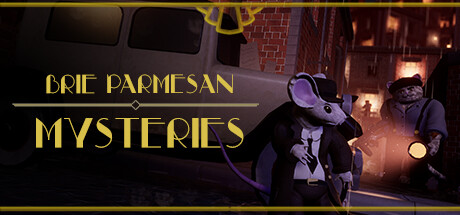
Brie Parmesan Mysteries
Table of Contents
Overview
Published Game on Steam , I was responsible for the majority of gameplay, and utilizing the Unity 3D Dashboard API for seamless tweaking of values and gameplay enemies without a need of patches, and telemetry work to track individual players progress.
Cloud API
Our implementation on CloudAPI allowed us to tweak values allowed us to save the settings of players, enemies, and other states. We could tweak the stats of our enemies to make them more agressive, have bigger vision cones, make them faster, more idle, etc… It was extremely exciting to watch someone play the game, and then tweak the experience before their eyes.
Together with the DataPersistanceManager I made we could modify things very easily, and keep track of each indivudual players stats, progress, how much cheese or evidence they collected, and which levels they had unlocked. It was one of the more exciting parts during my proffesional work, and there was so much more I wanted to do. With the end of the project it sadly became a lot of “TODOs” in the project files however, but in that short period I learned incredibly much about developing games. There is so much more than just making gameplay, or even editors and tools. Watching every unique profile put the scope of these projects into perspective for me.
Enemies
My favourite part of the project was by far working with the enemies. This is where I first fell in love with statemachines and their potential simplicity and endless potential. It’s so neat working in clear-cut states, and the ease of debugging make iterating on them much simpler. As this was my first professional job and I had very little knowledge in programming prior, there is much I want to change with my previous implementation. It was simple and clean, but I did not properly divide the classes, meaning my EnemyController ended up getting pretty bloated despite the fact that StateMachiens were properly implemented.
Despite this, it gave the perfect behaviour for this top-down stealth game. The enemies behaved in predictable patterns follow patrolpoints, investigated sounds, and attacked the player when they got caught. Perfect for a game where the player needs to be able to read and plan ahead for how the enemies react.
Diegetic UI - Player Office
Another favourite of mine is the office area. We wannted a diegetic UI for our main menum. The players “office” as they are an detective was meant to be highly interactive. To point a few things out, when collecting enough evidence in the first city for example, the player would go to their board and “pin” a picture to unlock the new level, with a red yarn being drawn to it. You’d unlock this “grid” of levels that you’d pick from.
If you wanted to delete your progress, you’d go to the trashcan to “reset”, and to exit the game, you’d go to the door to leave the office. Change clothes? There was a wardrove that opened and showed the clothes and hats you unlocked. Of course, you press “Esc” at any time to open your journal and select any of the options at any time too, so you didn’t need to interact with the office if you really didn’t want to, but it was such a neat and “fun” way to make everything feel so much more alive.